
Can I import responses?
In your Boast account, navigate to the Responses tab.
Click Import in the top right corner.
Click New Import.
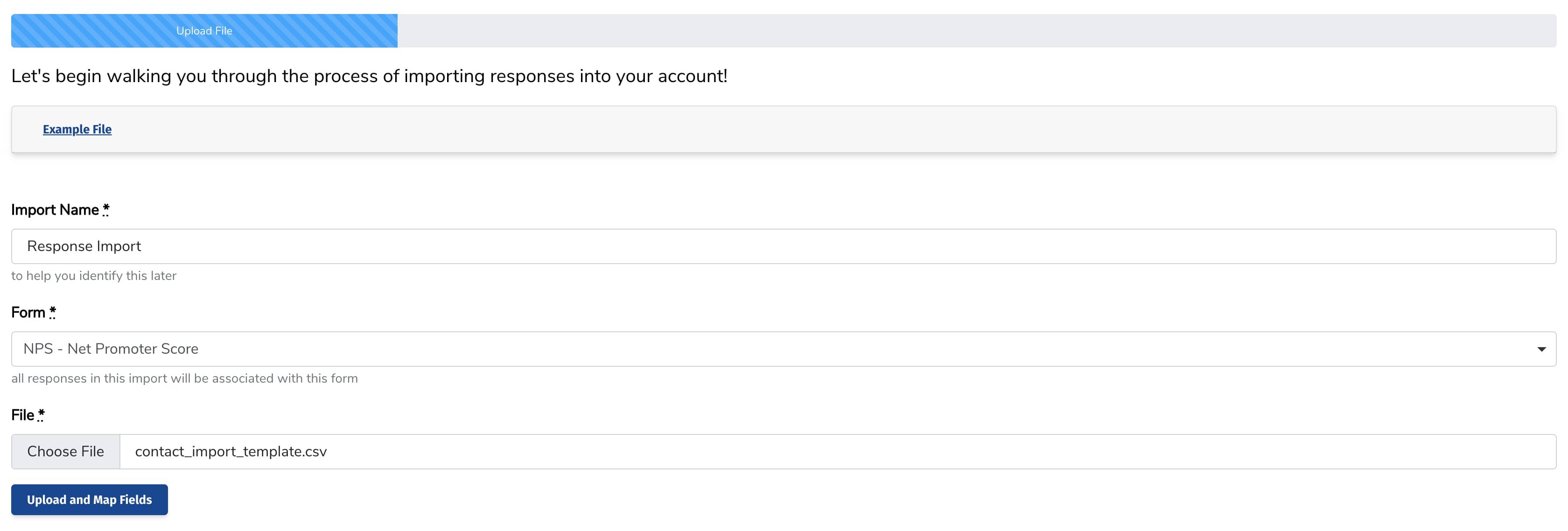
Give your import a name, choose the form you would like to assign responses to, and upload your file. Click Upload and Map Fields.
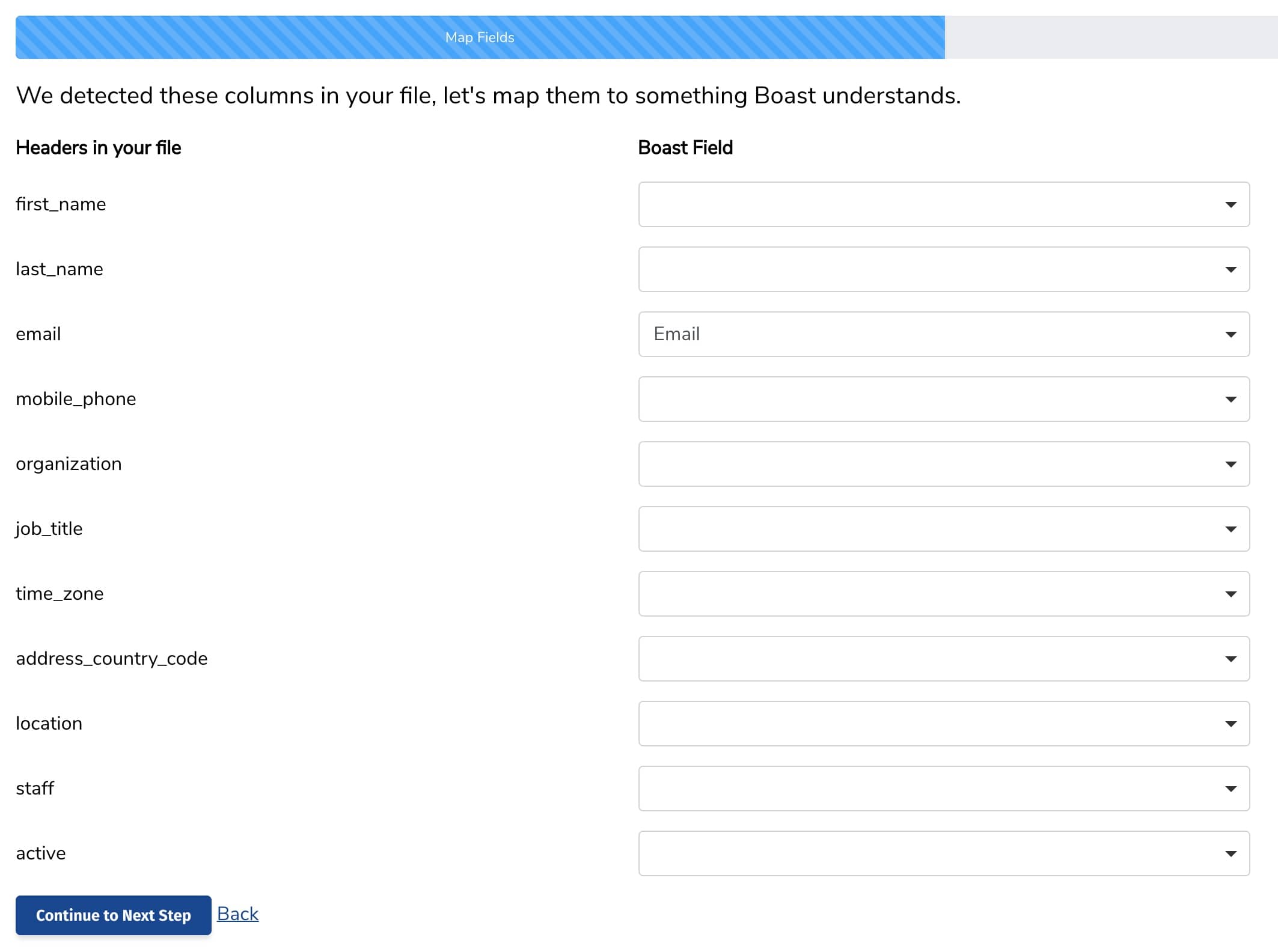
Map the fields in your file to your Boast fields. Click Continue to Next Step.
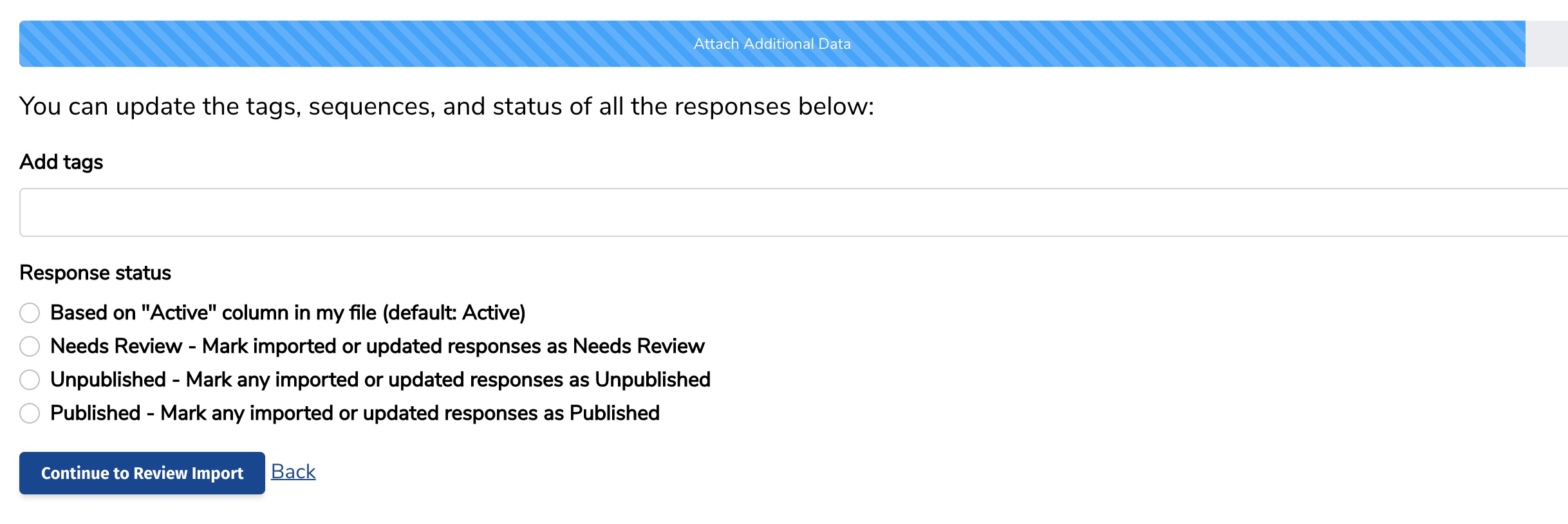
Update the tags and status of the responses if needed. Click Continue to Review Import.
Review and complete your import.


Still need help? Our support team answers by phone, email and chat, 9am–5pm EST.
Contact support