
How can I change my subdomain?
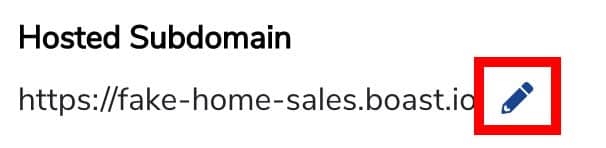
For example, in the following link, the subdomain is "fake-home-sales": https://fake-home-sales.boast.io/
Changing your subdomain can have unintended consequences:
- Forms: Any Landing Page links that your audience may be using will need to be updated
- Sequences: Any links in sequence emails that have been sent out will no longer work
To change your subdomain:
- Navigate to the Settings page.
- Under Hosted Subdomain, click the pencil icon.
- Enter in your desired subdomain.
- Click Update at the bottom of the page.
- Update your form links and links within sequence emails as needed.

Still need help? Our support team answers by phone, email and chat, 9am–5pm EST.
Contact support