
How can I upgrade, reduce or change my subscription?
Navigate to Settings > Subscription
Click "Change Plan"
Select your new plan. Use the toggle at the top of the page to switch between monthly and annual plans.
Finish the checkout process
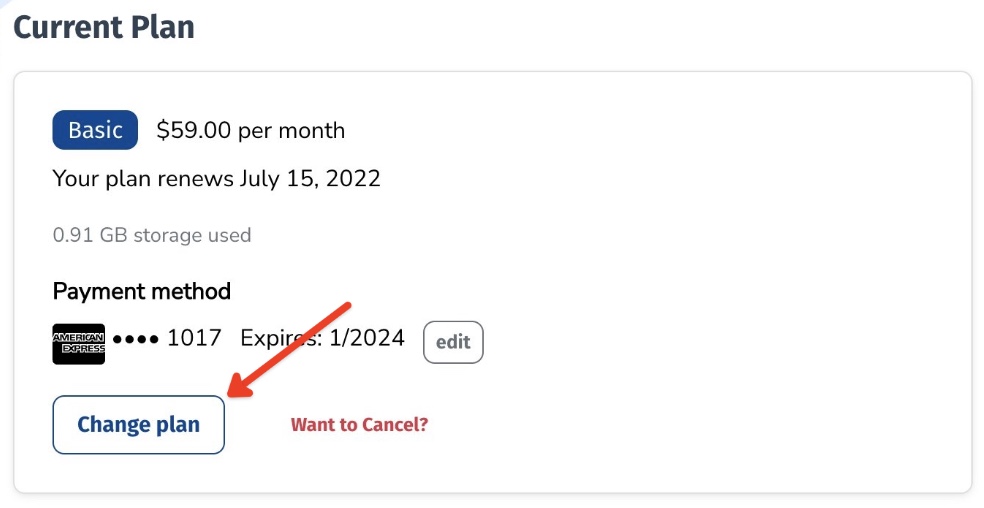

If you're updating your account mid billing cycle, you will be charged the difference of the current plan you're on and the plan you're upgrading to. If you need additional help, feel free to contact us!
Annual Plans & Pricing
Find a plan that suits your response strategy best with Boast annual pricing.
Boast yearly plans allow your business to collect customer responses without the monthly limits. These plans give you access to all of your monthly responses up front, allowing you to accommodate for varying monthly traffic to your submission forms. This means you no longer need to worry about upgrading your plan for particularly high traffic months.
By opting for a yearly plan you pay one predictable payment once a year. This convenient one-time payment helps you save money in the long run, as annual pricing gets you two months free.
If you feel like you’ll need more total responses for the year than the annual plan you selected, simply upgrade to a higher annual plan and you will be prorated for the amount you’ve already paid and simply need to pay for the difference.
Changing to a Plan that Allows Fewer Collection Forms
When downgrading to a smaller plan, you will first need to delete any forms above the number of forms allowed by the plan you wish to downgrade to.
For example: Alice is on the Team plan and has 7 collection forms. She wishes to downgrade to the Basic plan, which only allows 5 forms. Before changing her plan, Alice will need to delete 2 forms.
You will keep all responses from deleted forms.
Read-Only Plan
This is a great option if you want to take a short break from Boast and run another campaign in the future.
You can still use all of your display widgets and keep your responses, videos, contacts, etc in Boast but you cannot collect new responses or run sequences.
Still need help? Our support team answers by phone, email and chat, 9am–5pm EST.
Contact support