
How do I bulk update my responses?
- Navigate to the Responses page
- Make sure you're using the List View
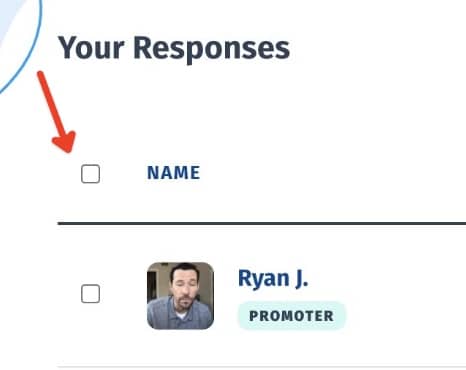
- Check the box next to each response you wish to update
Or, check the box at the top of the page to select all.
- Click the "Bulk Update" button
- Use the dropdown to select what data you would like to update
The options are: Status - make the selected responses Published, Private, Needs Review, or Unlisted Form - assign the responses to a particular form Location - assign a location to the responses Staff - assign a staff member to the responses Add tags - add tags to to responses Remove tags - remove tags from the responses
- Click the "Update Responses" button



Still need help? Our support team answers by phone, email and chat, 9am–5pm EST.
Contact support