
How to Integrate Boast with Squarespace
Note: Squarespace allows 3rd-party embeds on Business and Commerce plans
First, find your Boast embed code:
- Select Widgets or Forms from your Boast dashboard, depending on which you are looking to embed.
- Click the Share link on an existing widget or form, or create a new one.
- Copy the Website Embed (recommended) or iFrame Embed code.


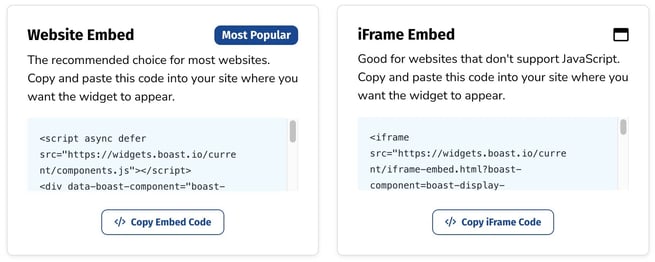
Now, time to add the code to your website.
How to Add Embed Codes to Squarespace
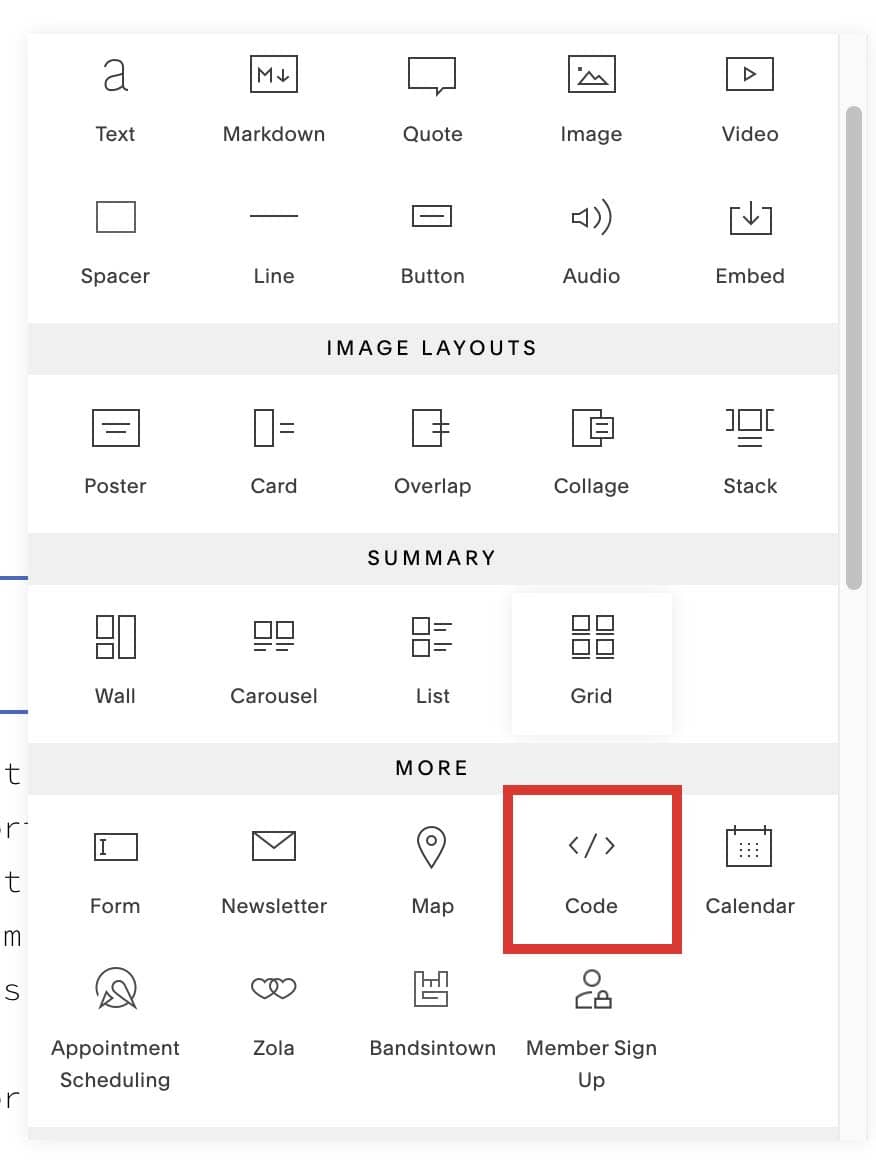
- Edit a page or post, click an insert point
, and choose Code from the menu.
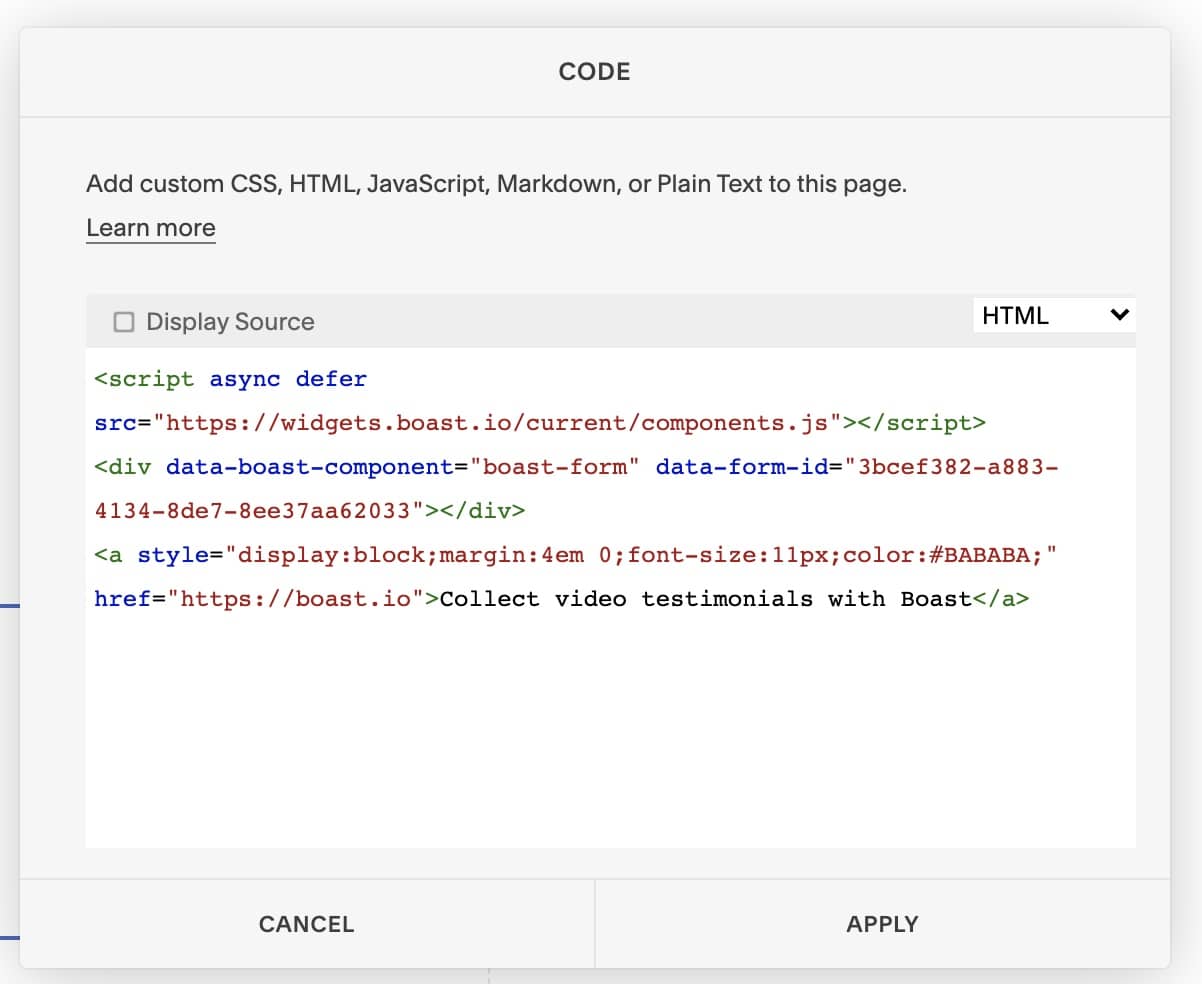
- Add your form or widget embed code in the text field.
- Click Apply to save your changes.
More information and a video tutorial can be found here: https://support.squarespace.com/hc/en-us/articles/206543167-Code-Blocks
Having trouble?
Additionally, you may have to turn off AJAX on your website, due to Squarespace limitations. Here's how you can do that:
- Go to Design > Site Styles
- Scroll down to SITE: LOADING
- Uncheck Enable Ajax Loading
Still need help? Our support team answers by phone, email and chat, 9am–5pm EST.
Contact support