
How to use Boast with WP Rocket for WordPress
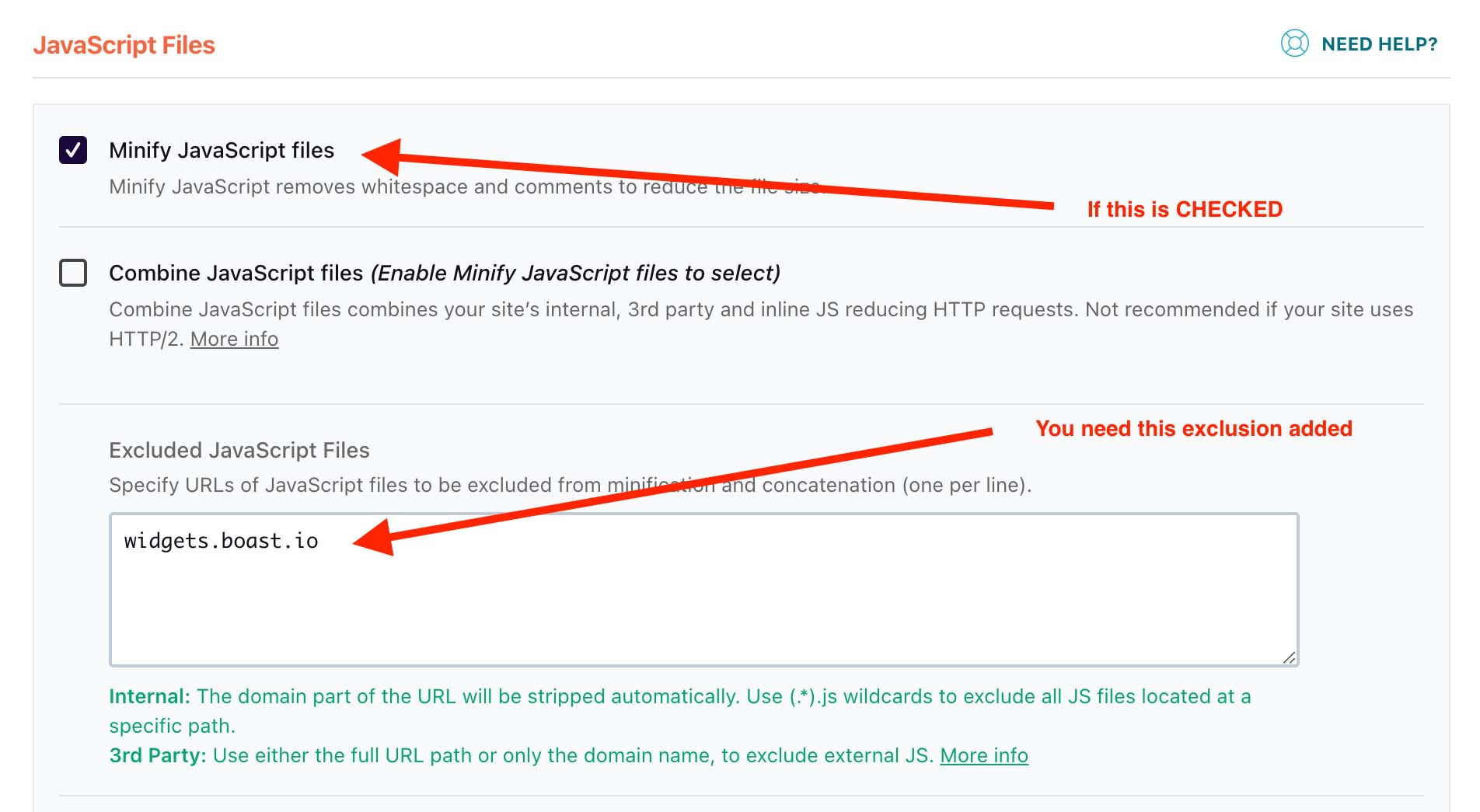
- Check if you have "Minify JavaScript Files" enabled. You can check this from your WordPress Dashboard > Settings > WP Rocket > File Optimization > JavaScript Files.
- If that setting is enabled, add widgets.boast.io to the Excluded Javascript Files list.
- Save your changes and clear your website cache (in the black admin bar at the top of your website, select WP Rocket > Clear Cache).
Still need help? Our support team answers by phone, email and chat, 9am–5pm EST.
Contact support